





The overview0:23
Scrap a day, without the paper punch

One highlight of your day.
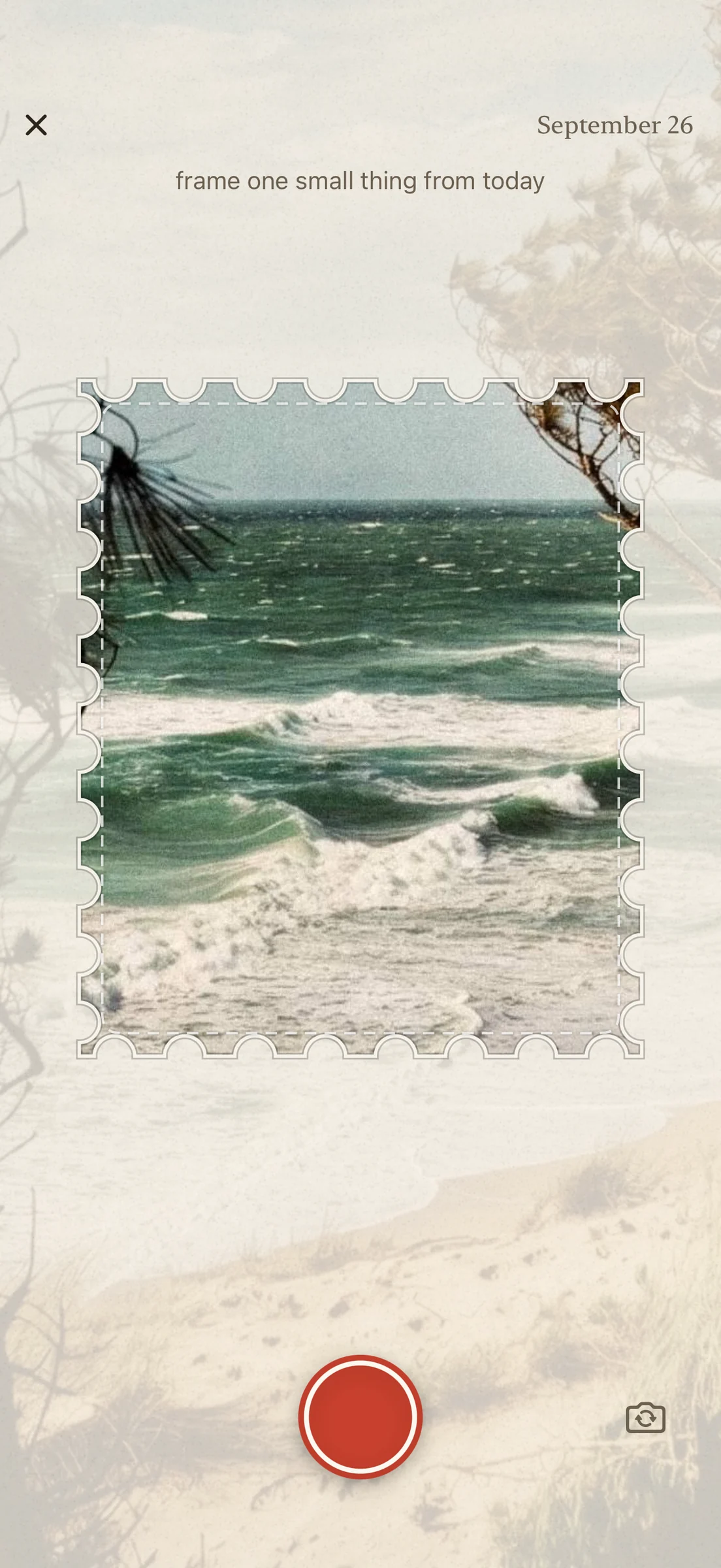
Snap something from today, punch it out like a postage stamp and paste it into your month album. The album stays on your phone.
There is no account and no feed. If you keep a paper book, keep going with it. This one is for the days your punch stays at home.
September2026
today
What it does
The ritual
How a scrap is made.
When you open the app, the stamp cutter is already in the camera. Hold it up to something from today and snap. Retake as often as you like, then punch it out and paste it into your book. If a line comes to mind, you can write it underneath.
The rules
Camera only, one scrap per day.
Every scrap comes from the camera, never from your photo library. You can tear a scrap out again, but you cannot fill in a day that has passed. A day you missed simply does not show up in the book, so there are no empty boxes.
Designs
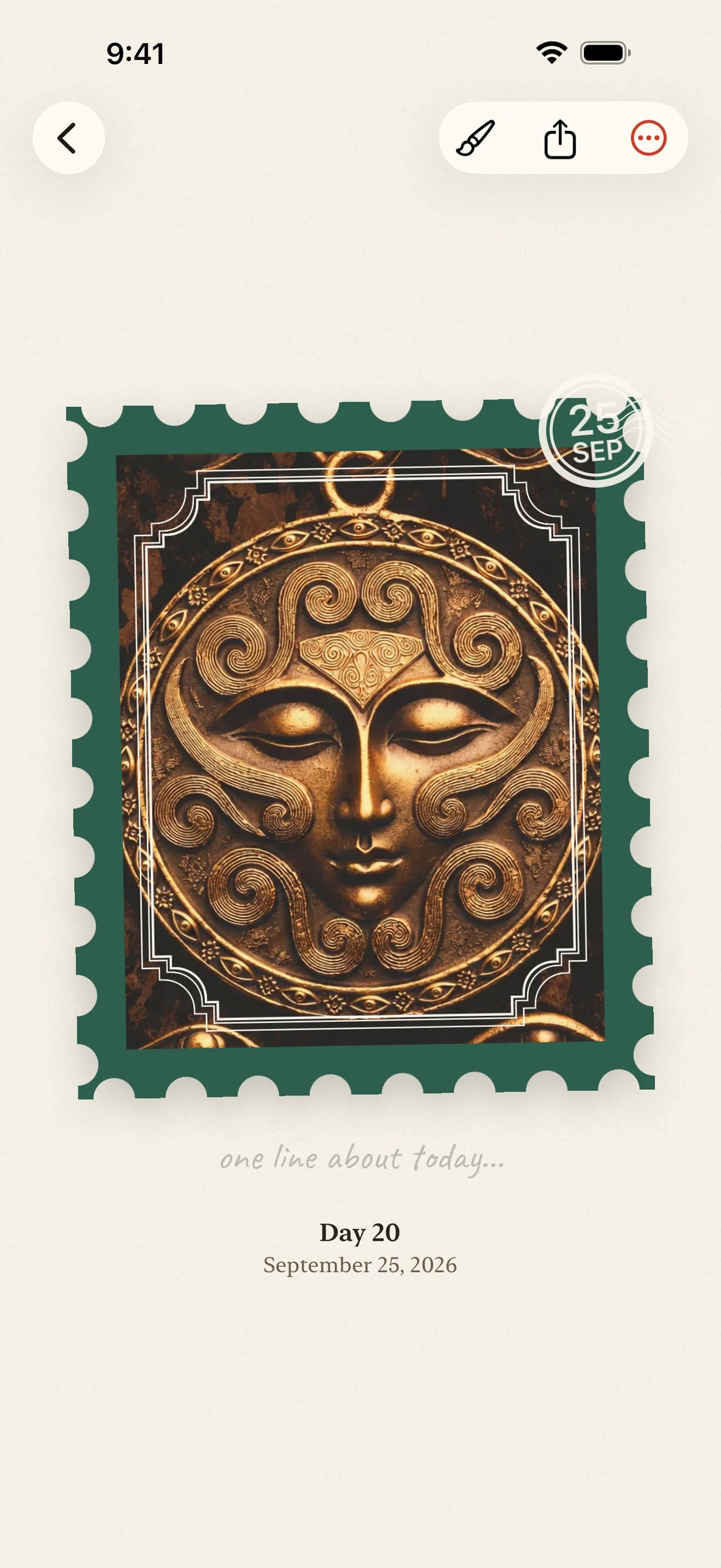
Give your stamp a design.
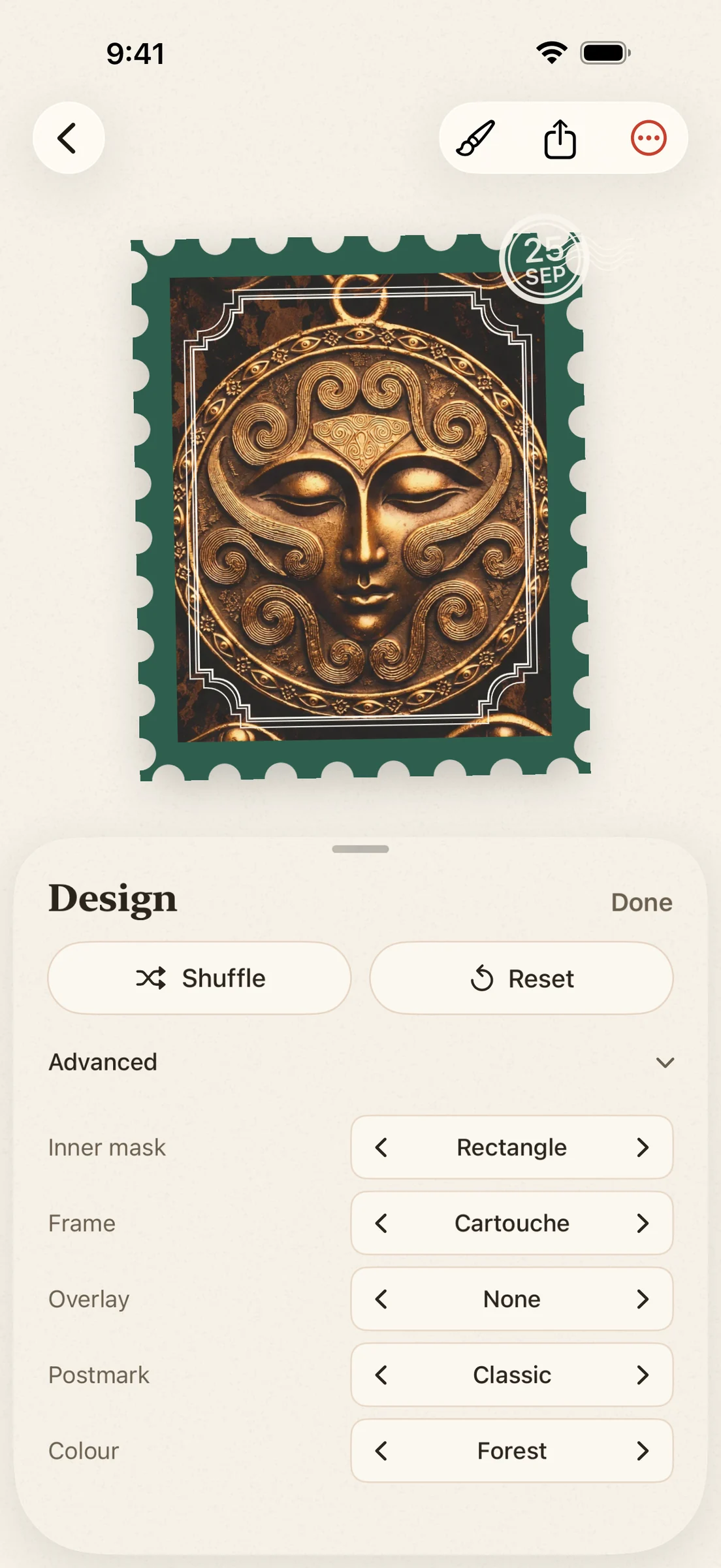
After you punch, tap Design. It changes the stamp around your photo: the frame, the colors and the postmark. Pick one yourself, tap Shuffle, or open Advanced for more choices.
Out again
Print it or share it.
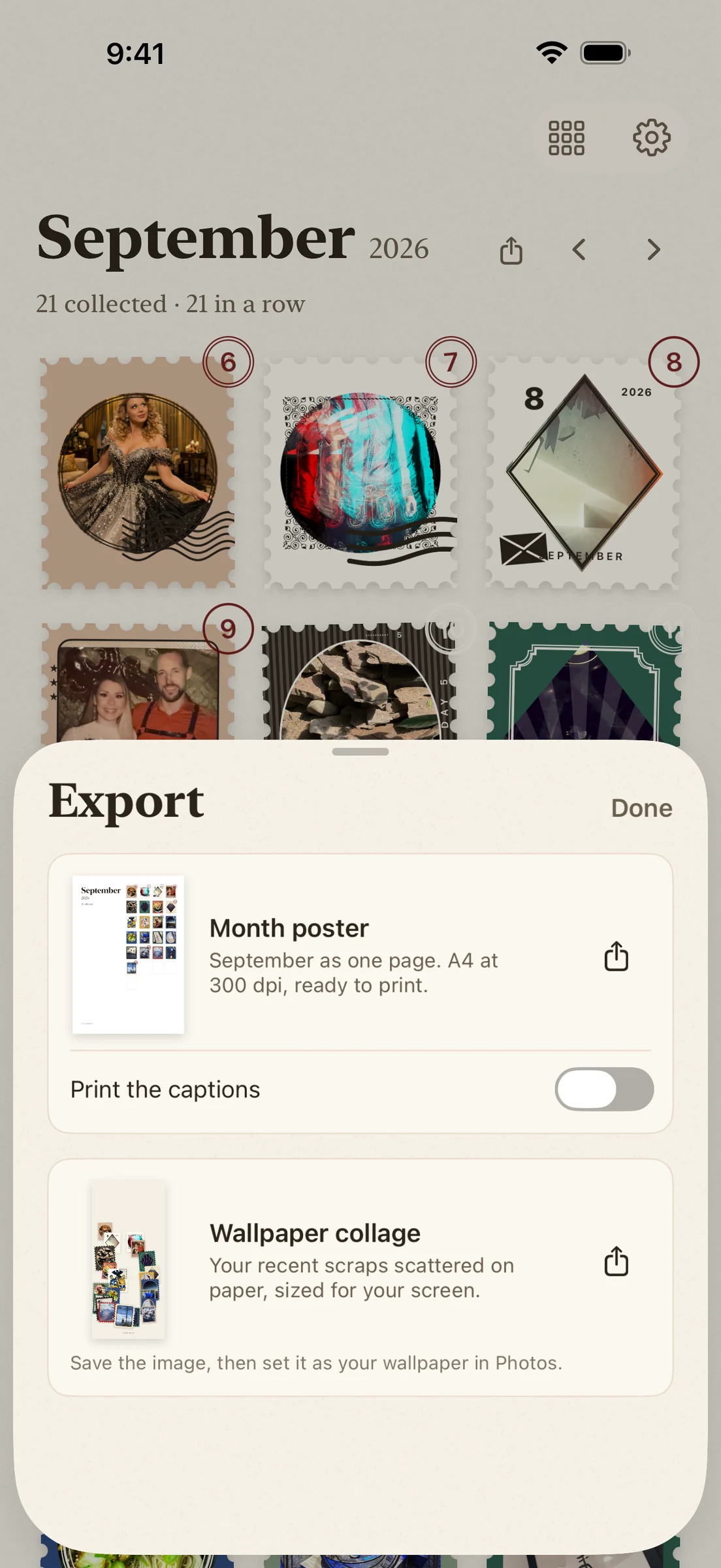
Any month becomes an A4 poster at 300 dpi, on white paper and ready to print. If you like, it prints the line under each scrap too. A single scrap becomes a portrait image that fits an Instagram post. And your latest scraps can become a wallpaper for your phone.
The album
Your month fills up.
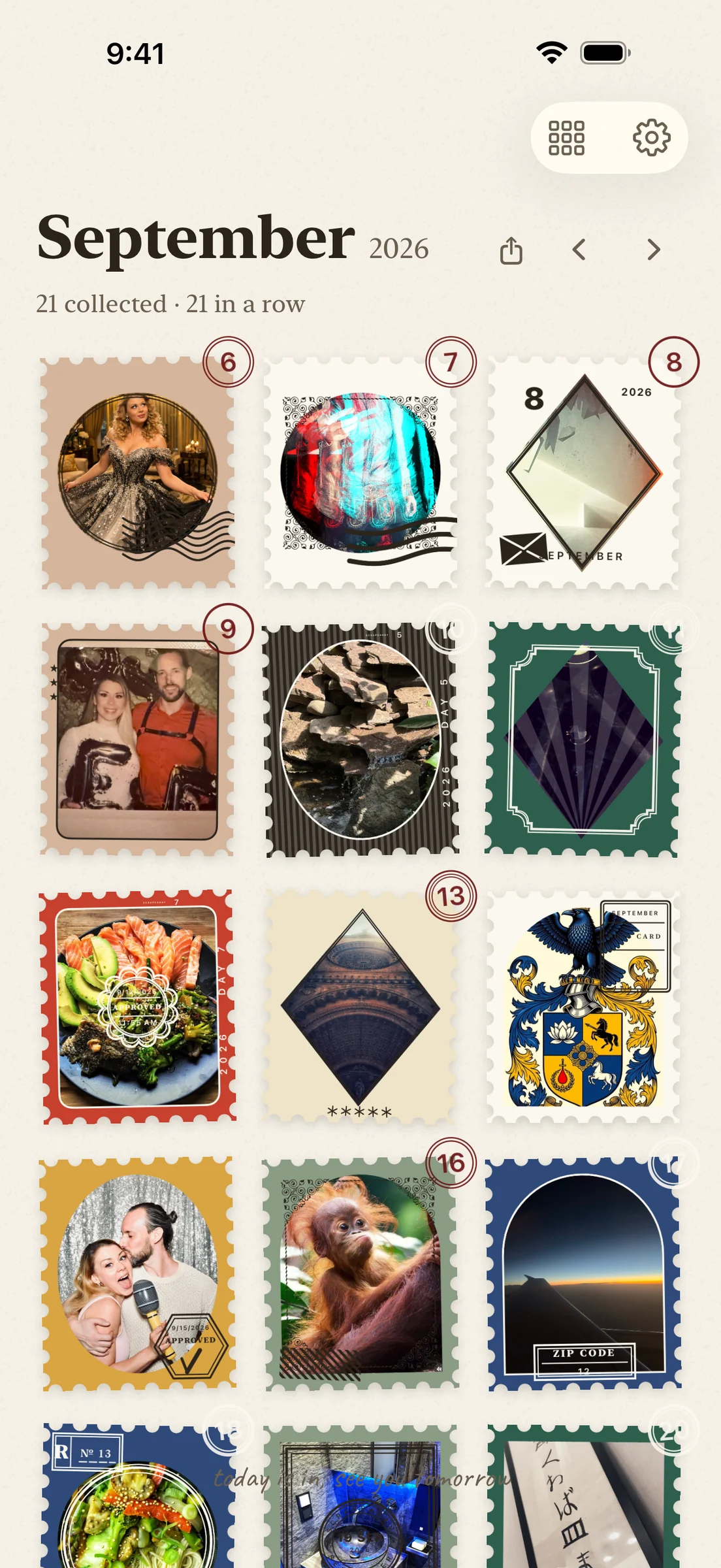
Every scrap lands on its day, in its month, on a paper page. You never arrange anything. Flip back a month and it is all still there.
Watch
Twenty seconds each.
Five short clips, recorded straight from the app. Tap one to hear it.
Design the stamp0:20
The day page0:21
No pressure0:15
Your lock screen0:16
Privacy
Your scraps stay yours.
Your scraps live on your phone. A copy also goes into a Photos album called “scrape a day”, unless you switch that off. That way they are part of the backup you already use for your photos, and you keep them even if you delete the app. There is no server of mine to upload anything to.
The whole privacy policy
Why this exists.
Hi, I am Felix. I make apps on my own. I watched people do a scrap a day on paper for about a year and never managed to start, because the punch, the glue and the notebook were never in the same place. The phone always was. So I built the version that needs no punch.
If something is broken or missing, write me at support@scrapeaday.app. I read everything.